
FI Architect
Compare life decisions and see when you reach financial independence.
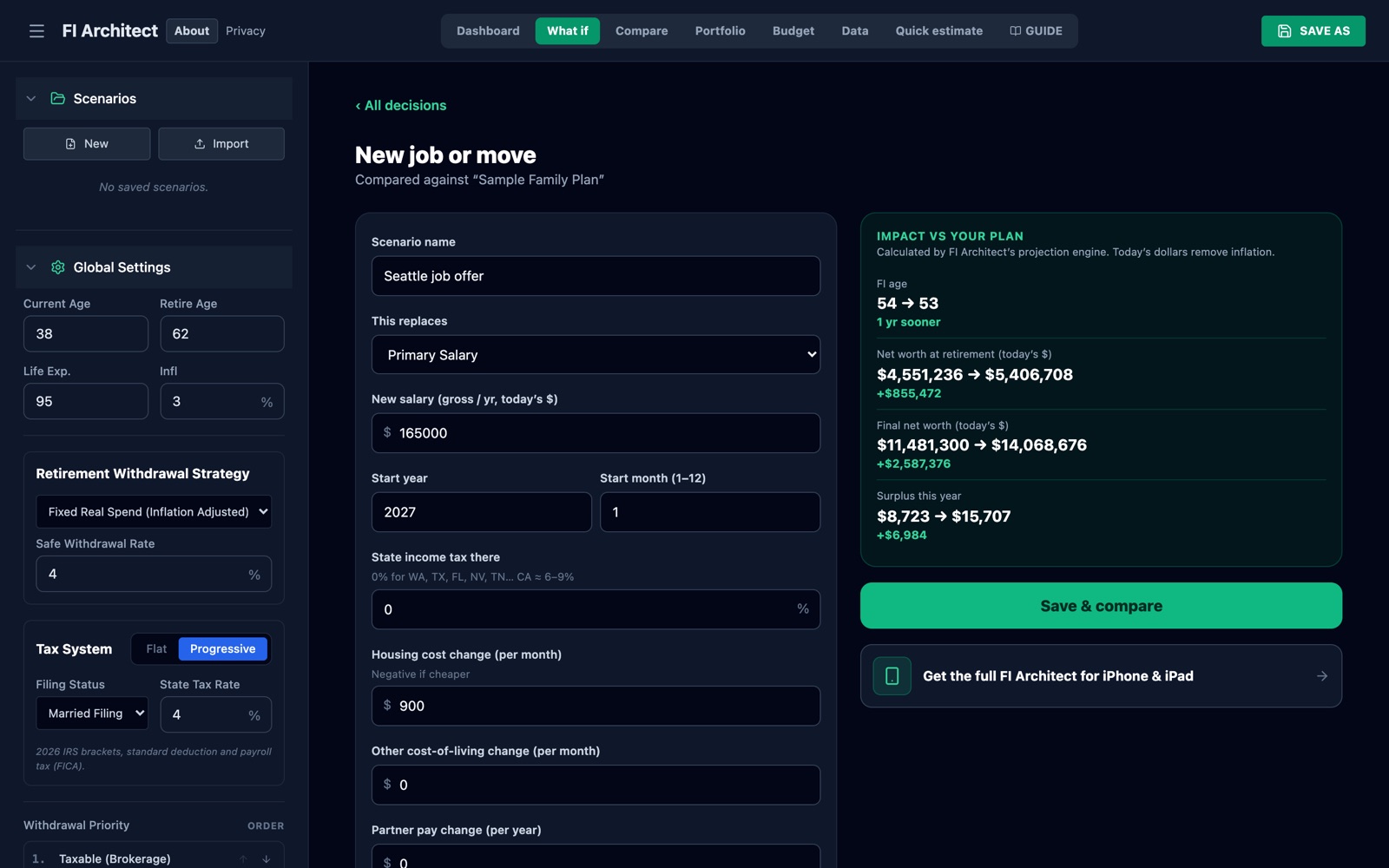
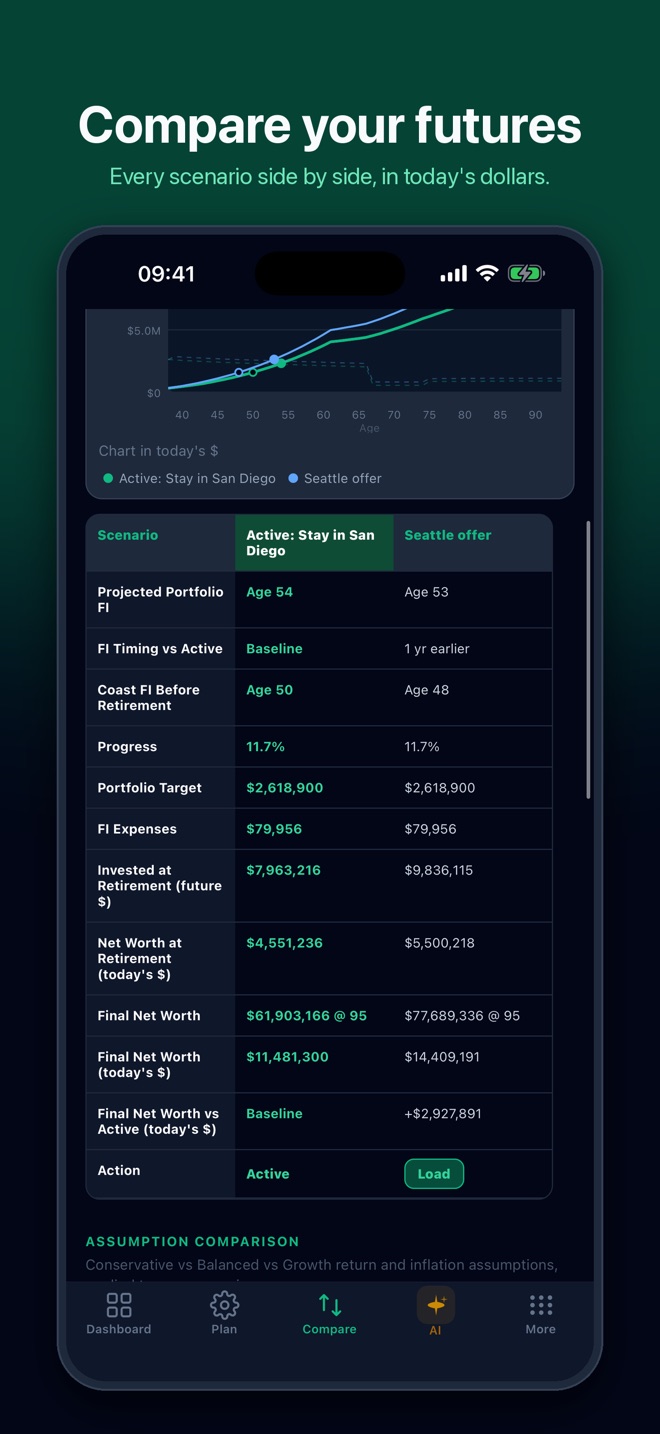
Should you take the Seattle offer or stay in San Diego? Buy the house now or keep renting? FI Architect turns each choice into its own scenario and shows how it moves your financial-independence age and net worth, in today’s dollars. Free in your browser, no account needed.
What it does
Real numbers for real decisions.
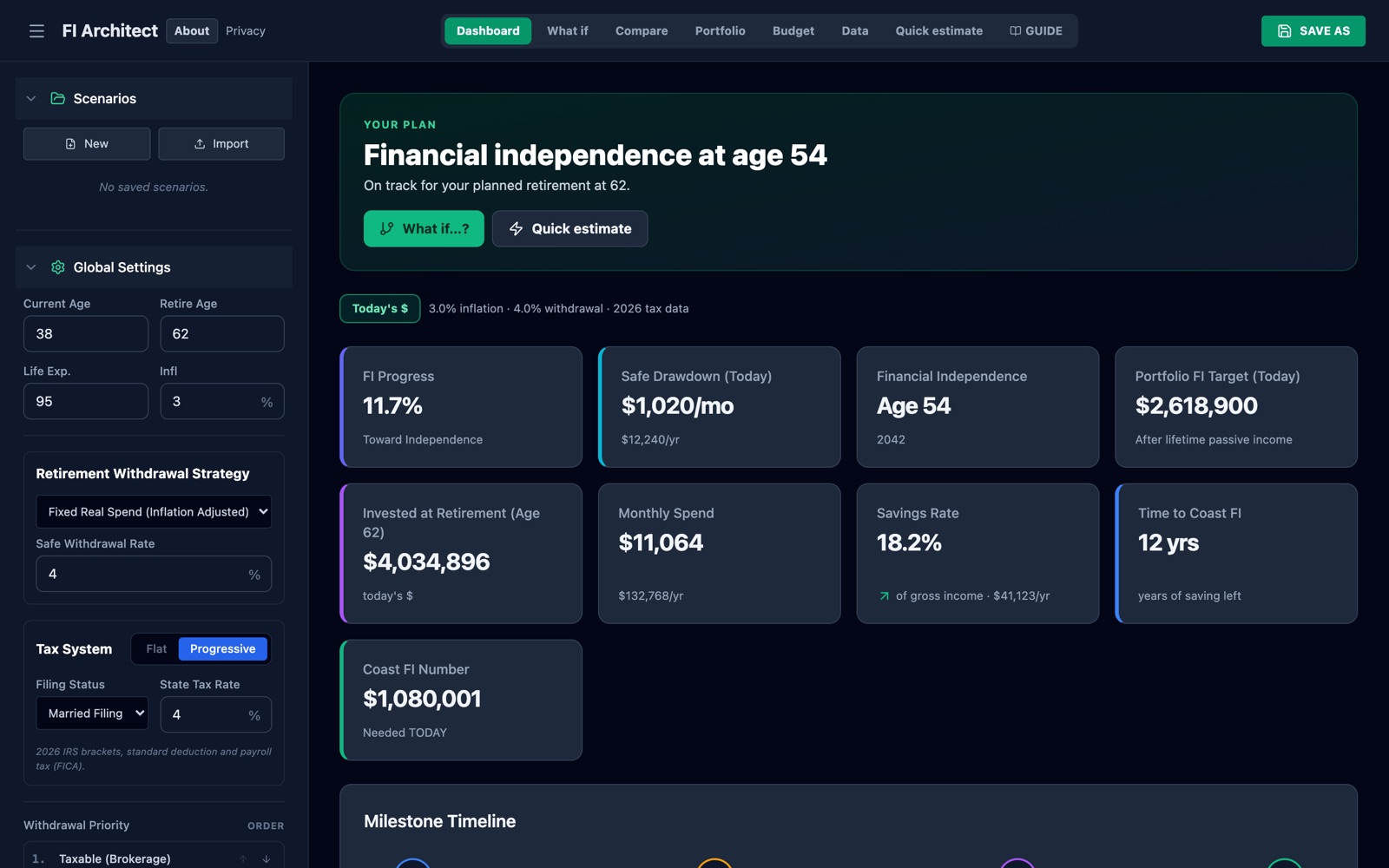
FI Architect is built for people who want more than a “years to retirement” estimate. Start with a one-minute ballpark, then build the full plan with dated income, spending, accounts, debts and life events.
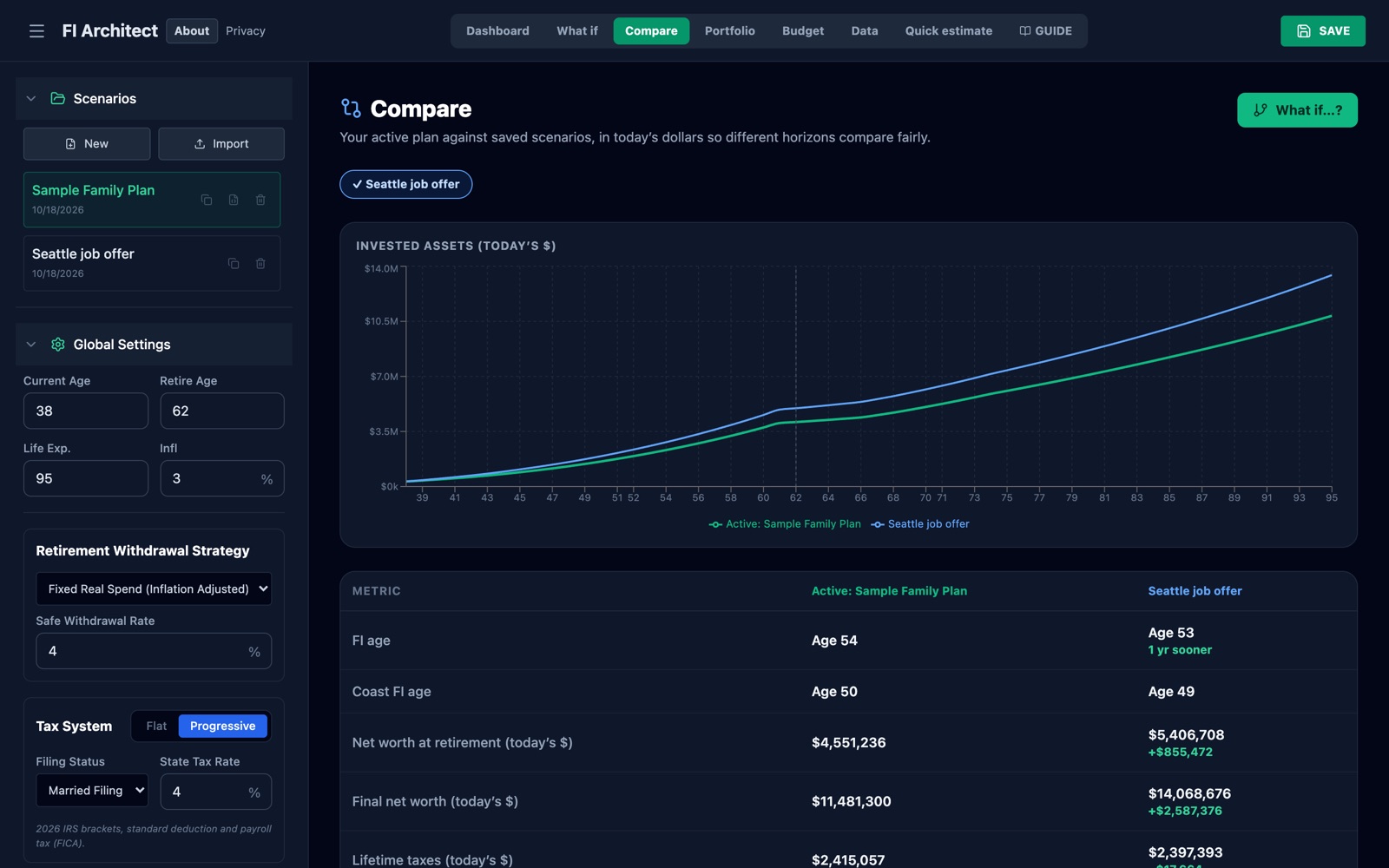
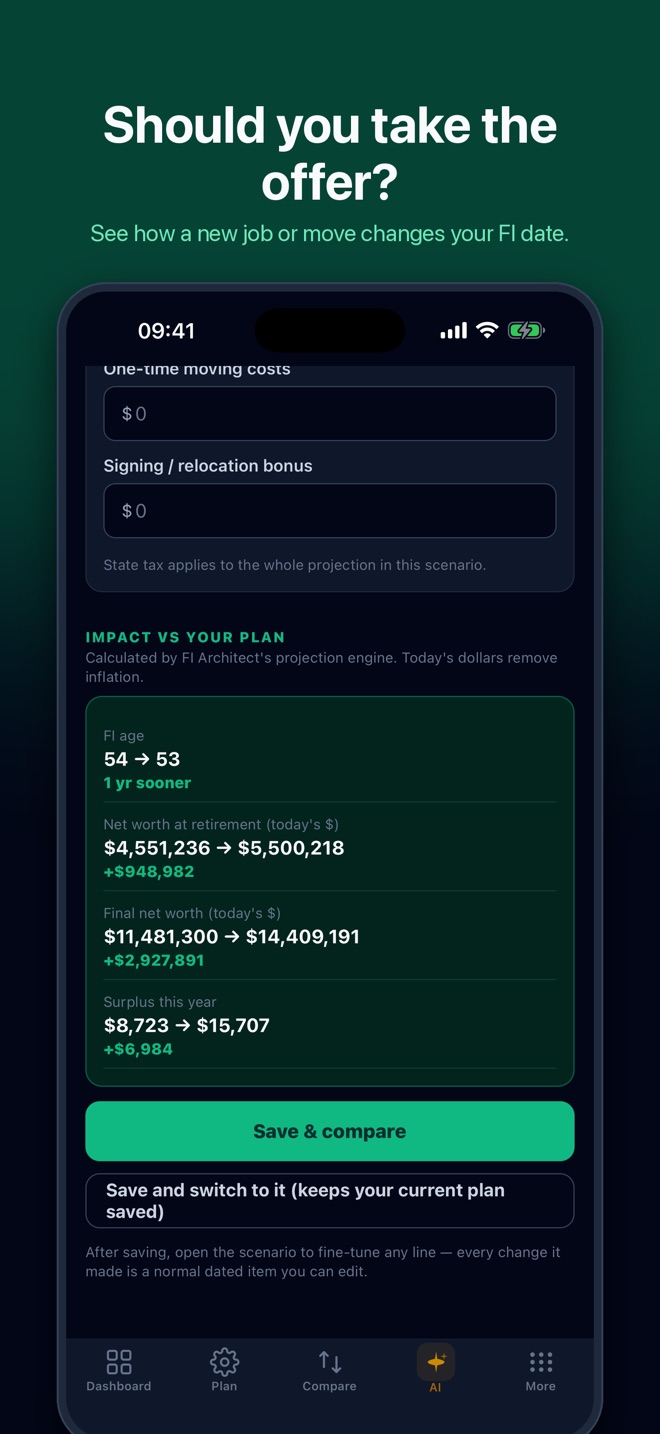
- What if…? Model a new job or move, buying a home, buying a car, having a child, or retiring earlier or later. See the change in FI age, net worth at retirement and lifetime net worth before you save it.
- Compare your plan against saved scenarios side by side, with a chart and table in today’s dollars.
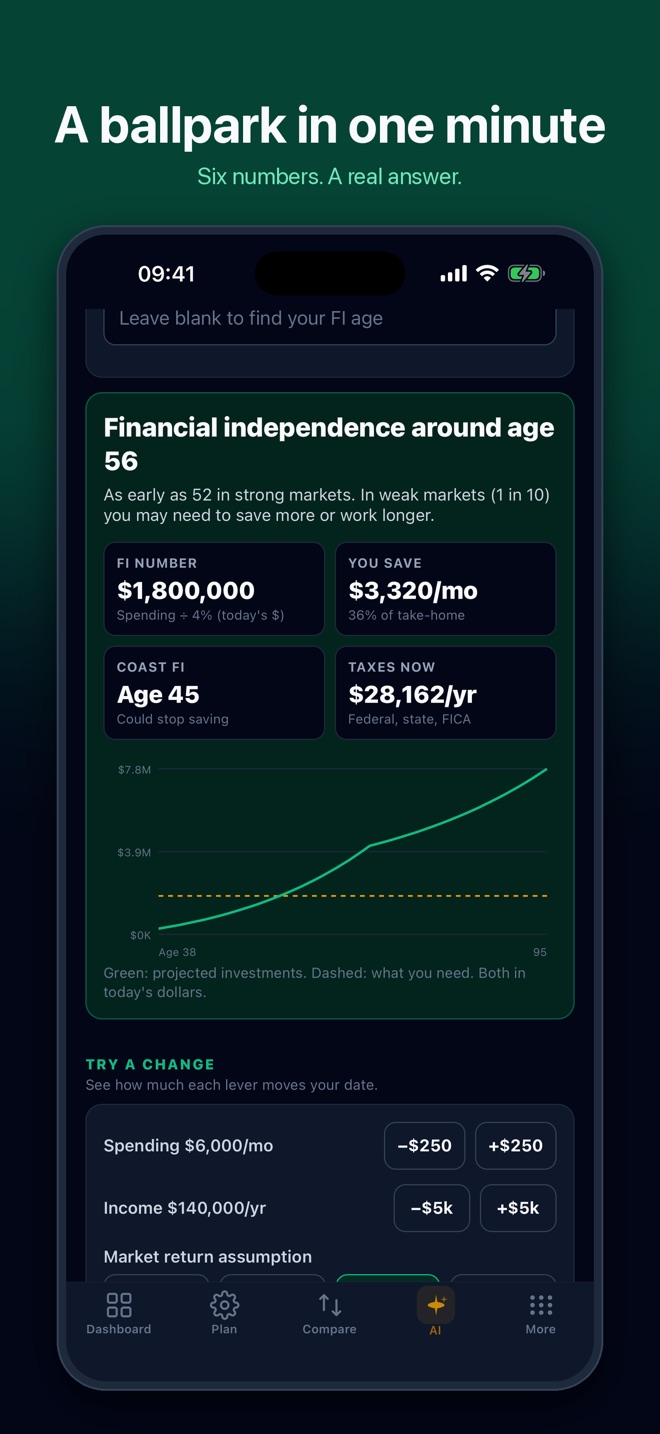
- Quick estimate from a few numbers (age, income, spending, savings), with a pessimistic-to-optimistic market range.
- Start and stop dates on everything: every income, expense and event begins and ends in the month you choose.
- 2026 tax data: federal brackets, standard deduction, payroll tax (FICA), your state rate, and Social Security.
- Retirement detail: withdrawal order across taxable, pre-tax and Roth accounts, RMDs, glide path, guardrail spending and Monte Carlo market simulation.
Three ways to use it
Web App (free)
Runs in your browser with no signup or download. Pick a quick estimate, explore a sample family, or start blank. Your plan stays on this device unless you export it.
Launch Free Web AppiPhone & iPad
Saved scenarios on your phone, guided setup, and an AI co-pilot that can read your plan. Exports from the iOS app import straight into the web app.
Download on the App Store →Spreadsheet (free)
The full workbook is a free download. Customize assumptions, add your own scenarios, and keep the file permanently.
Download FI Architect Premium v4.8 →Inside the web app
See the answer first, then the detail.
FI Architect for iOS
Take your plan with you.
The iOS app adds saved mobile planning, guided setup, progress tracking and an AI co-pilot that answers questions about your own plan. The screens below are from version 1.2, the next update, which brings What if, Compare and Quick Estimate to iPhone and iPad.
Access, data & support
Your plan, your data.
Free browser app
No NJL account is required. Plans are saved in your browser on this device; export a JSON file to back one up or move it. The web app also imports plans exported from FI Architect for iOS, including older versions.
iOS and spreadsheet
The AI co-pilot in the iOS app is optional; the privacy policy explains what plan data it uses. The downloadable workbook is a file you control and customize. Review the privacy policy or contact support before entering sensitive information.
FI Architect is a planning and modeling tool. It is not financial advice. See full disclaimer.
Build record
From calculator to tested planning system
FI Architect began as a browser tool for making long-range financial decisions inspectable, then grew into a companion iOS product.
Why it exists
Scenario planning is more useful than pretending one retirement date or one forecast is certain.
How it was built
The workflow moved from browser modeling to saved iOS scenarios, AI-assisted planning, subscription handling, privacy surfaces, and App Store review preparation.
Where it stands
The web app was rebuilt in October 2026 on the same projection engine as the iOS app, so both give the same answer for the same plan. The core calculator remains distinct from expanded AI workflows.
What proved difficult
A finished build did not prove App Store delivery. Privacy URLs, the real App Store app ID, paywall wording, Worker boundaries, and review evidence all had to be verified separately.
What happens next
Continue improving scenario clarity only when it improves household decisions; keep the educational and not-professional-advice boundary visible.