
Free Web App · iOS App Available
Know what each batch actually costs.
Recipe costing, pricing, and market planning for home bakers, cottage food sellers, and farmers market vendors who want to turn great products into a profitable small business.
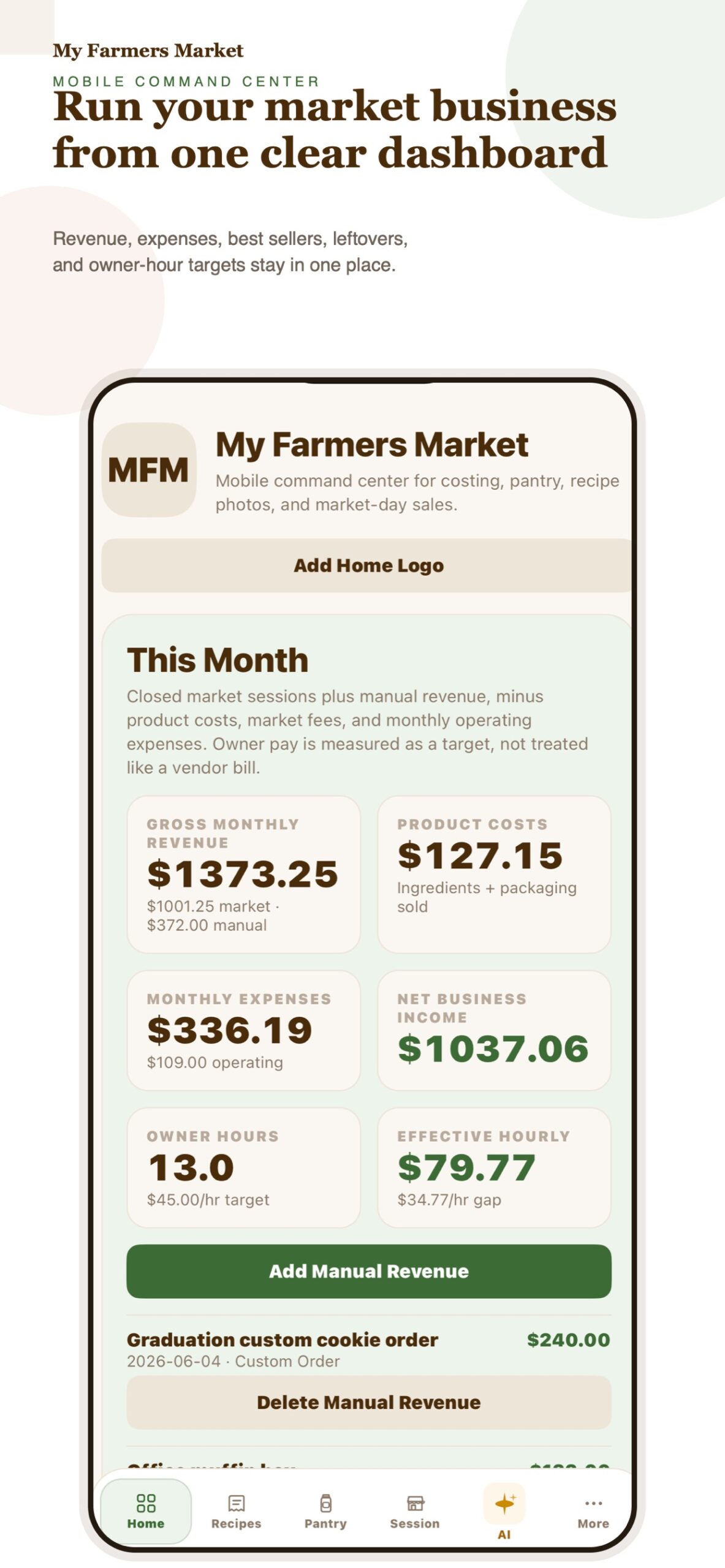
My Farmers Market helps vendors cost recipes with pantry-based ingredient pricing, plan what to bake and buy for each market, track sales and leftovers, and see monthly income, expenses, and what they actually earn per hour.
The free web app runs the same costing engine as the iPhone app, so every number matches. Move your data between the two with one file. The My Farmers Market Planner iOS app adds mobile tools for real market days, including barcode pantry entry, recipe photos, AI recipe imports, and guideline reviews.
Whether you are testing your first farmers market table or refining a growing cottage bakery, My Farmers Market helps you price with confidence, reduce guesswork, and understand what is actually making money.
What you can do
- Build a pantry of bulk ingredients and let recipes pull real ingredient costs automatically
- Cost recipes by batch and per item so each product has a clear baseline
- Compare your market price with a margin benchmark and a pay-yourself price that covers your prep time
- Turn a market plan into whole batches, ingredient totals, and a shopping list based on what is on hand
- Record what sold at the market and whether leftovers carry over, get tossed, or get donated, so waste shows up as a real cost
- Track monthly income, expenses, revenue, and profit over time
- Compare markets, best sellers, leftovers, and repeat-worthy products
- Move your data between the web app and iPhone, or keep a backup, with one data file
- On iPhone, use AI tools to import recipes from links, text, or photos and review market guidelines
Web App · Free
Cost recipes and plan from any browser
The free web app is ideal for larger-screen planning: recipes and costing, pantry stock, market days, prep plans and shopping lists, expenses, time, and a monthly dashboard. No account needed, and nothing is sent to a server.
iOS App · Available Now
Mobile tools for real market days
The iOS app is designed for the store, kitchen, and market table. It adds barcode pantry entry, recipe photos, AI recipe imports, guideline reviews, and cottage food prep. The next update brings prep planning, waste tracking, and Market AI that can answer questions about your own numbers.
Built for real small food businesses
My Farmers Market is made for solo food entrepreneurs who are short on time and need practical answers:
- What does this recipe cost me?
- What should I charge?
- Which products are worth making again?
- Did this market actually make money?
- How much am I earning for the time I put in?
Use the free web app for browser-based planning or My Farmers Market Planner on iPhone and iPad for barcode pantry entry, recipe photos, market-day workflows, and optional Pro features.
Access, data & support
Your business data stays under your control.
The free web app saves your recipes, pantry, markets, and sales in this browser only. The iOS app stores working data on your device and uses Apple for purchases and subscription management. Export a data file before clearing browser data or switching devices; it opens in either app. On iPhone, AI features send the text, links, or photos you choose (and, for Market AI questions, your business data) to the app’s AI service; review the privacy notice for details.
Build record
Separating the numbers made the product more useful
My Farmers Market Planner grew from a recurring small-business problem: pricing and market decisions become clearer when costs, owner time, and results are separated.
Process
The project covers recipes, pantry, market sessions, sales, leftovers, imports, AI assistance, exports, and the iOS release path.
Progress
October 2026: costing math corrected (waste costs, locked history, recurring expenses), prep planning added, and the web app rebuilt on the same engine as iOS. The iOS update is in release testing.
Fixed
AI access is now checked on the server for every AI route: Pro requires an Apple-signed purchase, and free prompts are counted server-side.
Release lesson
Build completion is not release completion. Device bundling, TestFlight, screenshot dimensions, alpha-channel checks, subscription metadata, and final release state each require their own verification.
Next decision
Ship the iOS update through TestFlight with a real sandbox Pro purchase before adding more AI features.